AI Document Processing: How Businesses Are Eliminating Manual Data Entry

Table of Contents
- 1. What Is AI Document Processing?
- 2. What Types of Documents Can AI Process?
- 3. How AI Document Processing Actually Works
- 4. What Changes When You Automate Document Processing
- 5. Where Businesses Typically Start
- 6. What to Look for in an AI Document Processing Solution
- 7. How Synexis Softech Builds Document Processing Systems
- 8. Frequently Asked Questions
- 9. What is AI document processing?
- 10. How is AI document processing different from standard OCR?
- 11. Can AI document processing handle documents from different suppliers or formats?
- 12. What accuracy can businesses expect from AI document extraction?
- 13. What systems can AI document processing integrate with?
- 14. Is AI document processing suitable for small businesses?
Most business operations involve documents. Invoices arrive from suppliers. Purchase orders come from customers. Contracts need reviewing. Forms get submitted. Reports land in inboxes. And somewhere in that flow, a person opens each document, reads it, and types specific pieces of information into a system.
This process — document receipt, manual reading, data extraction, system entry — is one of the most common and most expensive sources of inefficiency in business operations. It is slow. It is error-prone. It scales linearly with volume, which means it gets more expensive as the business grows. And it consumes human attention on tasks that require no judgement, only patience.
AI document processing automates this. Not by building rigid templates that break when a vendor changes their invoice format, but by using machine learning to understand the content and structure of documents — and extract the data you need, reliably, at any scale.
What Is AI Document Processing?
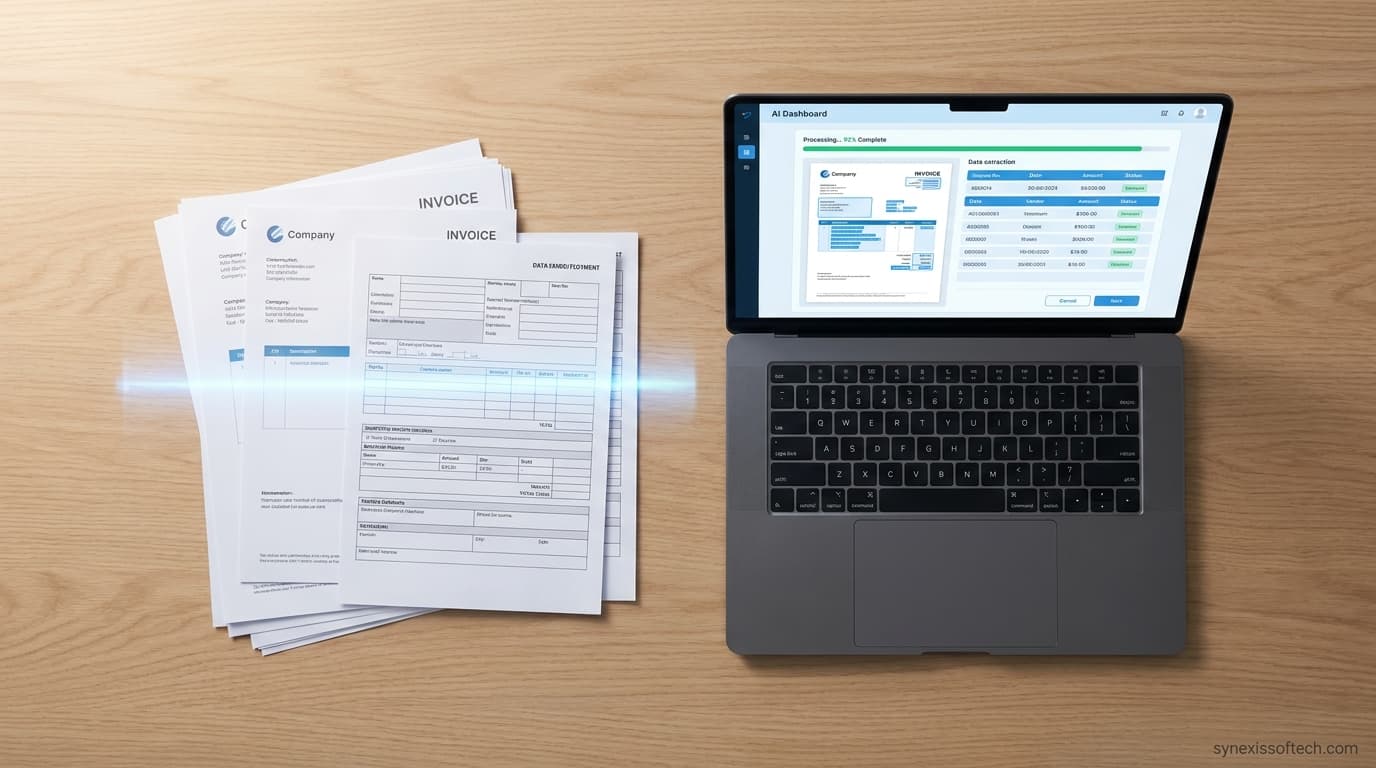
AI document processing is the use of artificial intelligence to extract structured data from unstructured or semi-structured documents — PDFs, scanned images, Word files, emails with attachments, and forms — and route that data to the systems that need it.
The technology combines several components: optical character recognition (OCR) to convert document images into readable text, natural language processing to understand what different pieces of text mean in context, and machine learning models trained to identify and extract specific data fields — vendor name, invoice total, line items, contract dates, party names — accurately across varied document formats.
A modern AI document processing system does not rely on fixed templates. It can handle invoices from a hundred different suppliers without being pre-configured for each one, because it understands the concepts involved — not just the position of text on a page.
What Types of Documents Can AI Process?
The technology applies to any document category where the same types of information appear repeatedly, even if the format varies.
Financial documents are the most common use case. Invoices, purchase orders, receipts, bank statements, and expense reports all contain structured financial data that businesses need to extract and process. AI handles the variation in format across different suppliers and clients without requiring manual configuration for each.
Contracts and legal documents contain specific clauses, parties, dates, and obligations that need to be identified and tracked. AI can extract key terms — renewal dates, liability caps, payment terms, termination clauses — from contracts across a portfolio, making contract review and management significantly faster.
Identity and compliance documents — passports, licences, national ID cards — are processed at scale by financial services companies, HR departments, and any organisation with KYC or onboarding requirements. AI can extract and verify the relevant fields accurately across document types from different countries and formats.
Forms and applications submitted by customers or employees contain structured information that needs to reach internal systems quickly. AI eliminates the manual step of transferring form data into databases or CRM systems.
Healthcare documents — referrals, clinical notes, lab results, insurance claims — involve complex terminology and varied formats. AI can extract the relevant clinical and administrative data needed to route documents, update records, and trigger next steps in a care pathway.
Shipping and logistics documents — bills of lading, customs declarations, delivery confirmations — move through supply chains in high volume and at speed. AI processing keeps data moving without creating a manual bottleneck at each document handoff.
How AI Document Processing Actually Works
Understanding the basic flow helps businesses evaluate whether a solution is genuinely AI-powered or simply a more sophisticated template engine.
Ingestion. Documents arrive through email, file upload, API, or document management system integration. The processing pipeline receives them and converts them into a format the AI can work with — typically through OCR if the document is a scanned image or a non-searchable PDF.
Classification. The AI identifies what type of document it has received — invoice, contract, identity document, form — and routes it to the appropriate extraction model. This classification step is what allows a single system to handle varied document types without human sorting.
Extraction. The extraction model reads the document and identifies the specific data fields required — amounts, dates, names, addresses, line items, reference numbers — based on what it has learned from training on large volumes of similar documents. The model understands context, so it can distinguish a supplier address from a billing address, or a document date from a payment due date, even when the format is unfamiliar.
Validation. Extracted data is checked against defined rules — does the total match the sum of line items? Does the date fall within an expected range? Is the identified entity a known supplier in the system? — and flagged for human review when confidence is below threshold or validation fails.
Output and integration. Validated data is pushed to the destination system — ERP, accounting software, CRM, database, or workflow tool — in the required format, without manual intervention.
What Changes When You Automate Document Processing
The operational impact is straightforward to quantify once a system is running, because it replaces a manual process with a measurable time and headcount cost.
Processing speed. Documents that previously took hours or days to process manually — because they arrived in batches or depended on a specific team member — are processed in seconds. For businesses where document processing sits in a critical path (invoice approval, contract execution, customer onboarding), this speed improvement has a direct effect on cash flow and customer experience.
Error rate. Manual data entry produces errors. The rate varies by volume, complexity, and staff, but it is rarely zero. Errors in financial documents create downstream reconciliation problems. AI-extracted data, validated against defined rules, produces a more consistent and auditable output.
Scale. A manual process requires proportionally more staff as volume grows. An AI document processing system handles volume increases without a corresponding increase in cost. This is particularly valuable for businesses in growth phases or those with seasonal peaks in document volume.
Staff reallocation. The hours previously spent on data entry can be redirected to work that requires judgement — exception handling, relationship management, analysis. This is a more useful framing than "replacing staff" — the work shifts, not necessarily the headcount.
Audit trail. AI processing systems log what was extracted, from which document, at what confidence level, and what validation checks were run. This creates an audit trail that manual processes rarely produce in the same form.
Where Businesses Typically Start
For most organisations, the right first use case for AI document processing is the one that has the highest volume, the most consistent document type, and the clearest downstream system to receive the extracted data.
Invoice processing is the most common starting point — high volume, well-understood data fields, clear destination (accounting or ERP system), and measurable time savings from day one. It is a contained enough use case to implement and validate quickly, with results that make the business case for expanding to other document types.
Organisations handling onboarding documents, contract portfolios, or incoming customer forms are equally strong candidates for a first implementation.
What to Look for in an AI Document Processing Solution
Not all document processing solutions are equally capable. Several characteristics distinguish a genuinely AI-powered system from a more limited rules-based tool.
Format flexibility. The system should handle new document formats it has not seen before without requiring manual template configuration for each new supplier, client, or document issuer.
Confidence scoring. Good systems indicate how confident they are in each extracted field and route low-confidence extractions for human review rather than passing potentially incorrect data to downstream systems.
Integration capability. The extracted data needs to reach your actual systems. A document processing solution that produces data but cannot connect to your ERP, accounting software, or database creates a different manual step rather than eliminating one.
Handling of complex documents. Multi-page documents, tables with merged cells, handwritten annotations, and poor-quality scans all test system capability. Understanding how a solution handles these cases tells you a lot about its robustness in real-world use.
How Synexis Softech Builds Document Processing Systems
Synexis Softech builds custom AI document processing pipelines for businesses that have outgrown manual data entry or off-the-shelf tools that do not fit their document types and system requirements.
Rather than a generic product, Synexis builds around your specific document categories, your existing systems, and your validation and compliance requirements. For businesses with unusual document formats, proprietary data structures, or specific integration needs, a custom build delivers accuracy and integration depth that generic solutions rarely achieve.
The team has built document processing systems across financial documents, compliance documentation, and operational records — connecting extracted data to CRM, ERP, and custom internal platforms.
Processing high volumes of documents manually? Talk to Synexis Softech about automating your document pipeline with a custom AI solution.
Frequently Asked Questions
What is AI document processing?
AI document processing is the use of artificial intelligence to automatically extract structured data from documents — invoices, contracts, forms, identity documents — and deliver it to the business systems that need it, without manual data entry.
How is AI document processing different from standard OCR?
Standard OCR converts document images into text. AI document processing goes further — it understands the meaning and context of the extracted text, identifies specific data fields (invoice total vs line item total, for example), handles format variation across documents, and validates extracted data against business rules.
Can AI document processing handle documents from different suppliers or formats?
Yes. Unlike template-based systems that need to be configured for each document format, AI-based systems learn to extract the relevant fields from varied document formats without requiring a separate template for each.
What accuracy can businesses expect from AI document extraction?
Accuracy depends on document quality, complexity, and the specific system. Well-implemented AI document processing systems typically achieve high accuracy on clean, typed documents, with lower confidence extractions routed to human review. Real-world accuracy should be validated on your actual document set, not assumed from vendor claims.
What systems can AI document processing integrate with?
Extracted data can be pushed to almost any business system — ERP platforms, accounting software like Xero or QuickBooks, CRM systems, custom databases, and workflow tools. Integration is a core part of implementation, not an afterthought.
Is AI document processing suitable for small businesses?
It depends on volume. The ROI of automation is clearest when document volumes are high enough that manual processing represents a meaningful time and cost burden. Small businesses with very low document volumes may find simpler tools sufficient. As volume grows, the case for automation strengthens significantly.
Need help with implementation? Synexis Softech provides robust custom AI agent development to help scale your business.
Synexis Softech Team
Lead AI Engineer
Our team of experienced engineers and digital strategists at Synexis Softech specializes in building production-ready AI solutions, high-performance web applications, and data-driven marketing campaigns. Based in Pokhara, Nepal, we partner with growing businesses globally to turn complex technical challenges into competitive advantages.
Ready to grow your business with technology?
Let's build a practical digital solution for your business.
Talk to Our Team